Keeping Projects Connected to the World
Work recorded: August 6, 2026
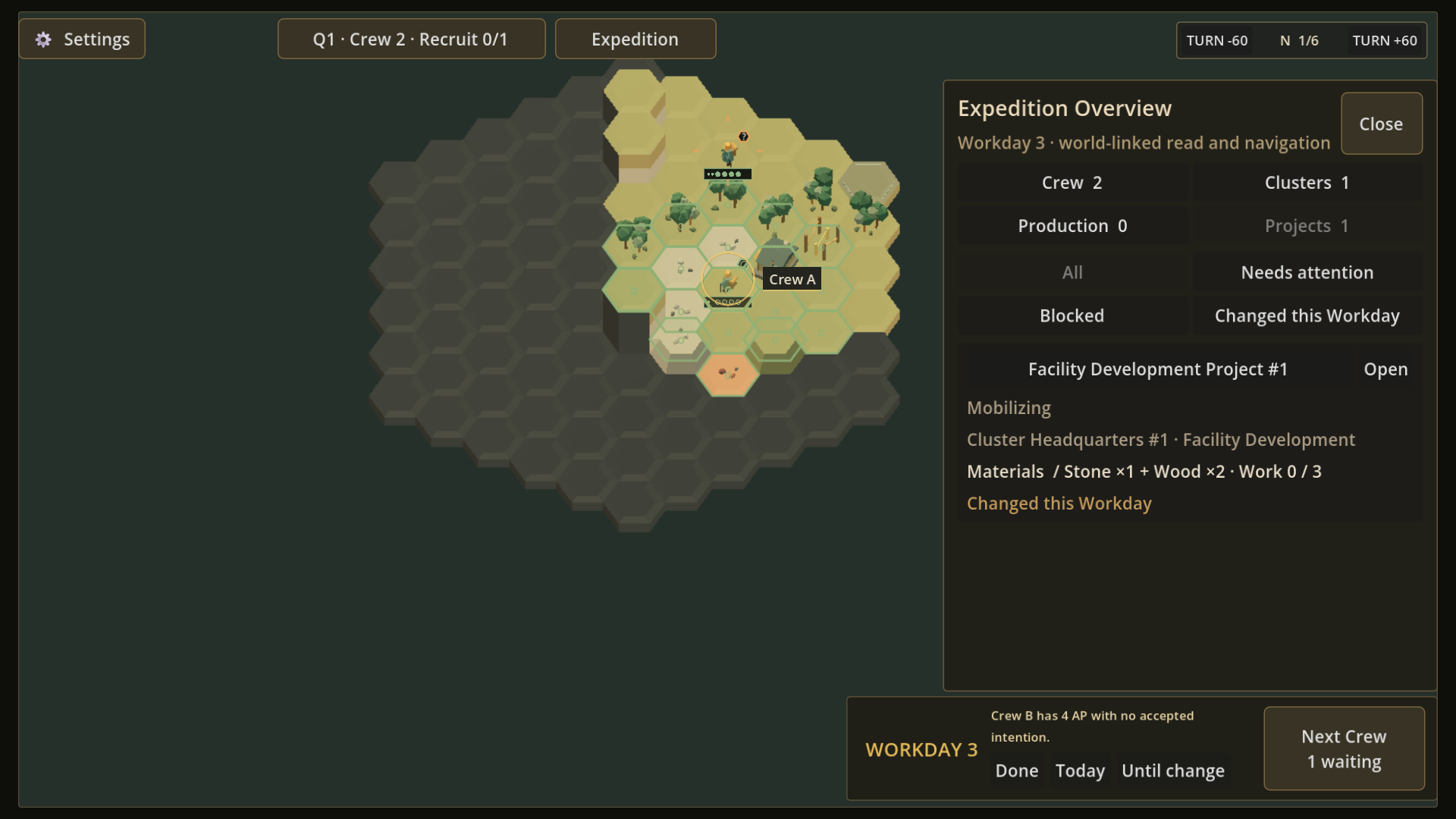
Work that still belongs to a place
A Project in Frontier Logistics is a finite piece of work, and a Facility is the world location that owns that work and its commands. Several Projects can be active at once, so the player needs a way to read them together without turning the list into a separate source of authority.
A detached management screen would separate progress from the place responsible for it. The Expedition Overview instead keeps the world map visible beside its Projects view.
Read the list, then return
Open the Overview and read a Project row: its owning Facility, current stage, material and work progress, and whether it changed during the current Workday—the turn-scale window in which that work advances. Those signals help distinguish a Project that is still mobilizing from one that needs attention.
Opening the Project returns the player to its world-linked context. The Overview supports scanning and navigation, while the Facility remains the place where the player acts on the work.
What remains in development
The map-linked Projects view is present in the current build; labels, spacing, and information density are still being refined.