Keeping the Map in View
Work recorded: August 6, 2026
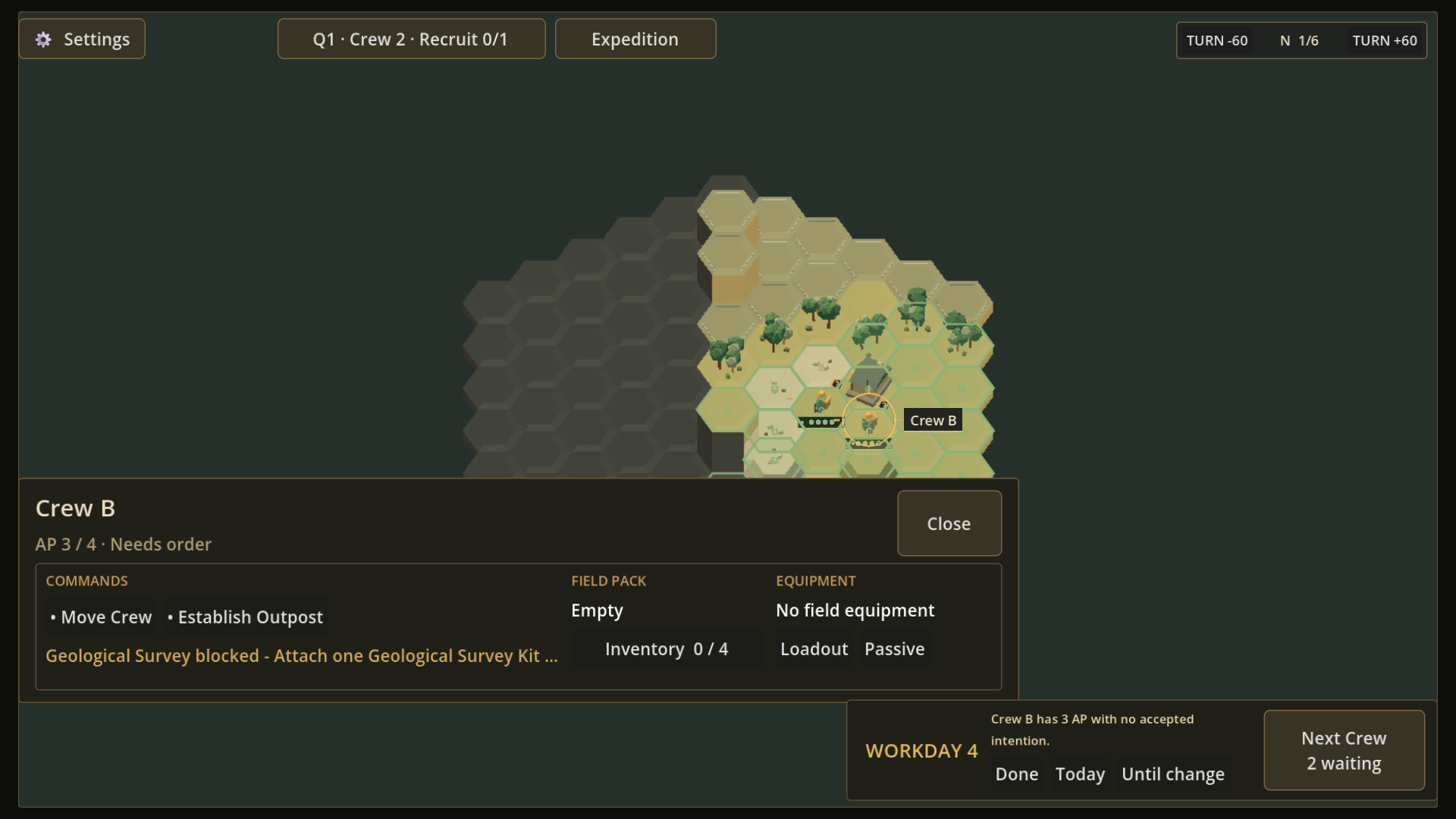
The map is the working surface
A Crew is a unit the player selects and directs on the world map. Position and possible targets are read from that map, but the previous Crew screen stretched across the full width and kept inventory and Equipment details open at once.
That layout preserved access to information, yet routine commands could obscure the spatial context needed to choose what the Crew should do next.
Routine actions in one corner
Select Crew B in the scene shown here and a compact workspace opens in the lower-left. The player can read current AP and status beside the primary commands, then check short Field Pack and Equipment summaries while most of the hex map remains visible.
Inventory, Loadout, and Passive information still have their own detail entries. The player can open one when needed, return to the compact view, and choose a target on the map without giving up either the detail or the Crew's position.
What remains in development
The compact workspace is present in the current build; its alignment, wording, and connection to the wider Expedition Overview are still being refined.